Your next argument, written while they are still talking.
RhetoricIQ listens to both sides in real time and hands you the rebuttal, the cross-examination question, or the exact flaw in their logic — while you are still on your feet. Everything runs on your machine.
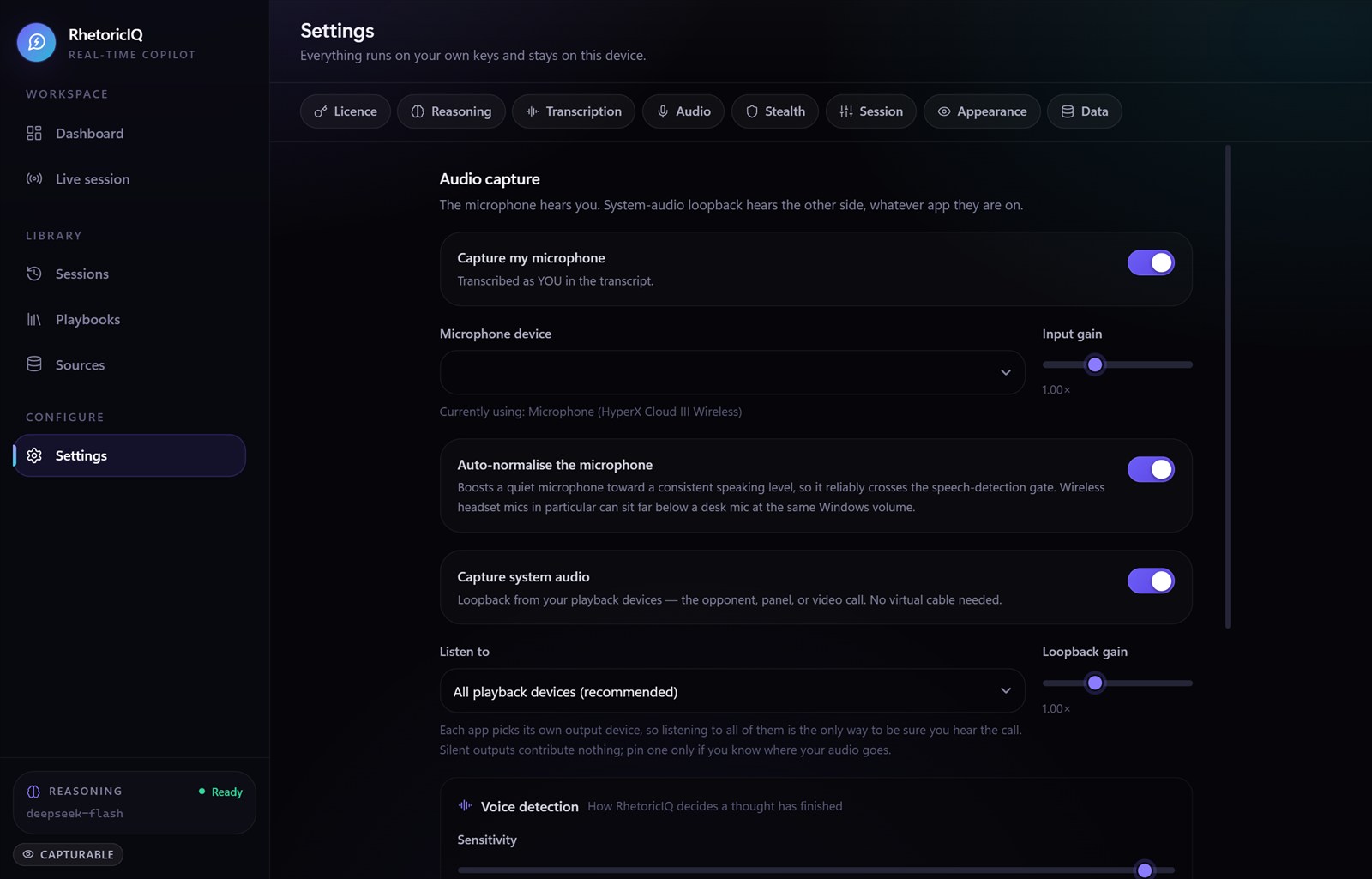
Captures whatever your machine is playing
If Windows can play it, RhetoricIQ can hear it — including the headset your call app is actually routed to.
The problem
Debate is won in the eight seconds after they stop talking.
You hear the argument. You know something is wrong with it. Then you spend your precious speaking time working out what — and by the time you find it, the moment has gone and the judge has moved on.
RhetoricIQ closes that gap. It does the listening, the structuring and the searching while you are still standing there, so that when you open your mouth the answer is already in front of you.
You stop scrambling
The rebuttal is on screen before you need it, already in spoken language and already in your voice.
You stop missing things
Fallacies, burden shifts and bad comparisons get flagged the moment they happen, not in the car on the way home.
You stop guessing at evidence
When a fact cannot be verified the copilot says so, and tells you what to check — it will not hand you a number to be humiliated by.
You get your prep back
Every session is saved with speaker labels and full answers, so your practice rounds turn into a brief.
Features
Built for the moment, not the meeting after it
Everything below is in the box on day one. No add-ons, no per-seat maths, no "contact sales".
Hears both sides
Your microphone and your system audio are captured as two separate streams, so YOU and THEM are labelled correctly from the very first second — with no voice-printing and no setup.
Answers before you finish thinking
Responses stream token by token from a model tuned for argumentation, so the first line of the rebuttal lands while the other side is still making their point.
Invisible to screen capture
On the Invisible plan, Windows excludes the window from capture entirely. It is fully visible to you and absent from every recording and screen share on the machine.
Trained on your material
Add PDFs, briefs, case files, slide decks or photos of evidence. RhetoricIQ answers from your sources first and only falls back to general knowledge when yours does not cover it.
Reads images and handwriting
Drop in a screenshot, a scanned page or a photo of a whiteboard. The vision model extracts the text once, stores it as plain text, and it costs you tokens from then on only as a cached prefix.
Works when the wifi does not
Transcription runs on-device with Vosk, so a hostile venue network cannot stop you capturing the round. Answers resume the moment connectivity comes back.
How it works
Four steps, about five minutes, once
Install and pick your audio
Choose the microphone you actually speak into and the output your call app actually plays through. RhetoricIQ shows you a live meter for each so you can see it is working before you start.
Download one speech model
40 MB for compact English, or 128 MB for the high-accuracy model. Eighteen languages are available. It runs on your CPU, offline, forever.
Paste your AI provider key
Bring your own OpenAI-compatible key — RhetoricIQ is tuned for DeepSeek. You pay your provider at cost, typically a few cents a session, with no markup from us.
Start a session and choose a playbook
Rebuttal, cross-examination, fallacy hunting, negotiation, presenting. The playbook decides what the copilot does with what it hears.
Look inside
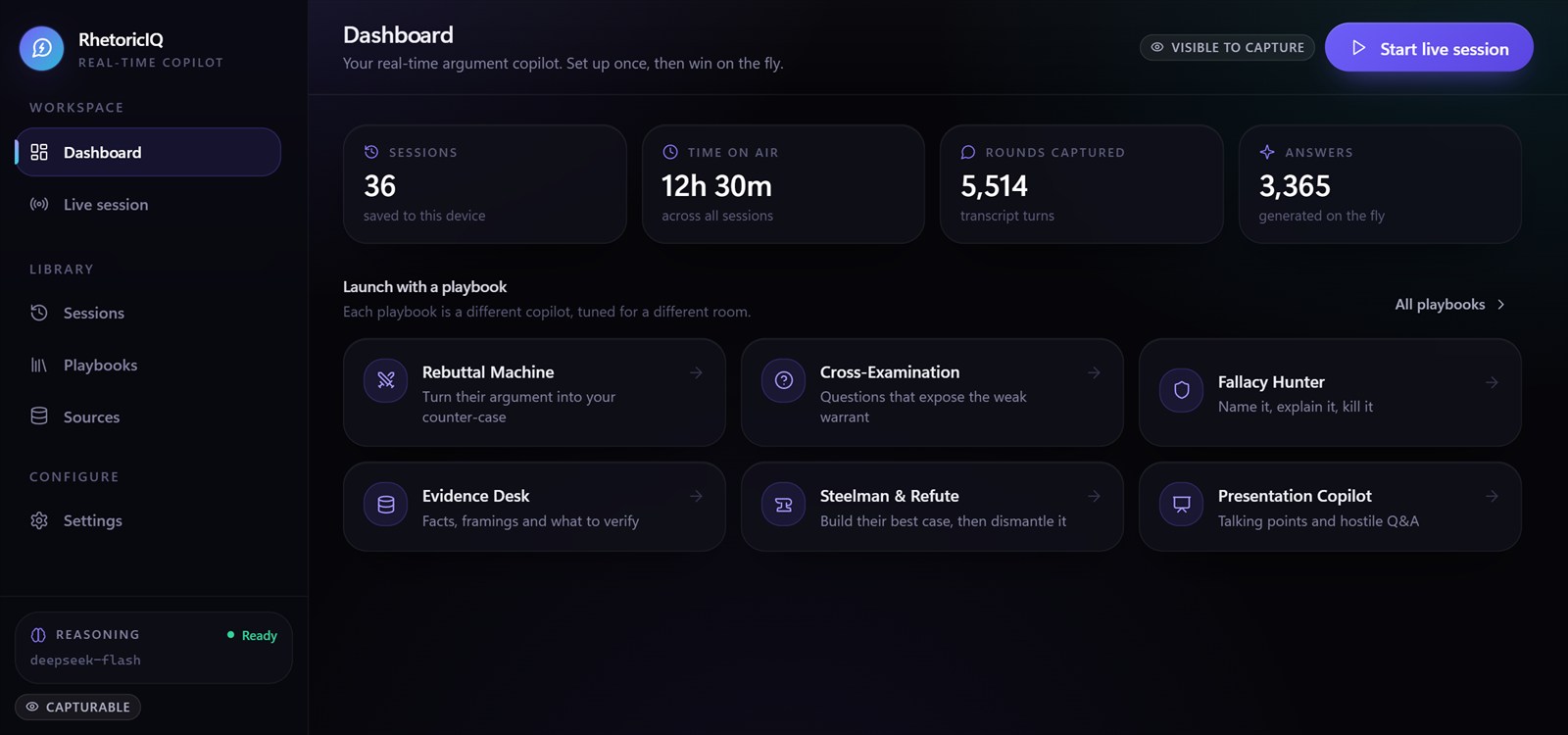
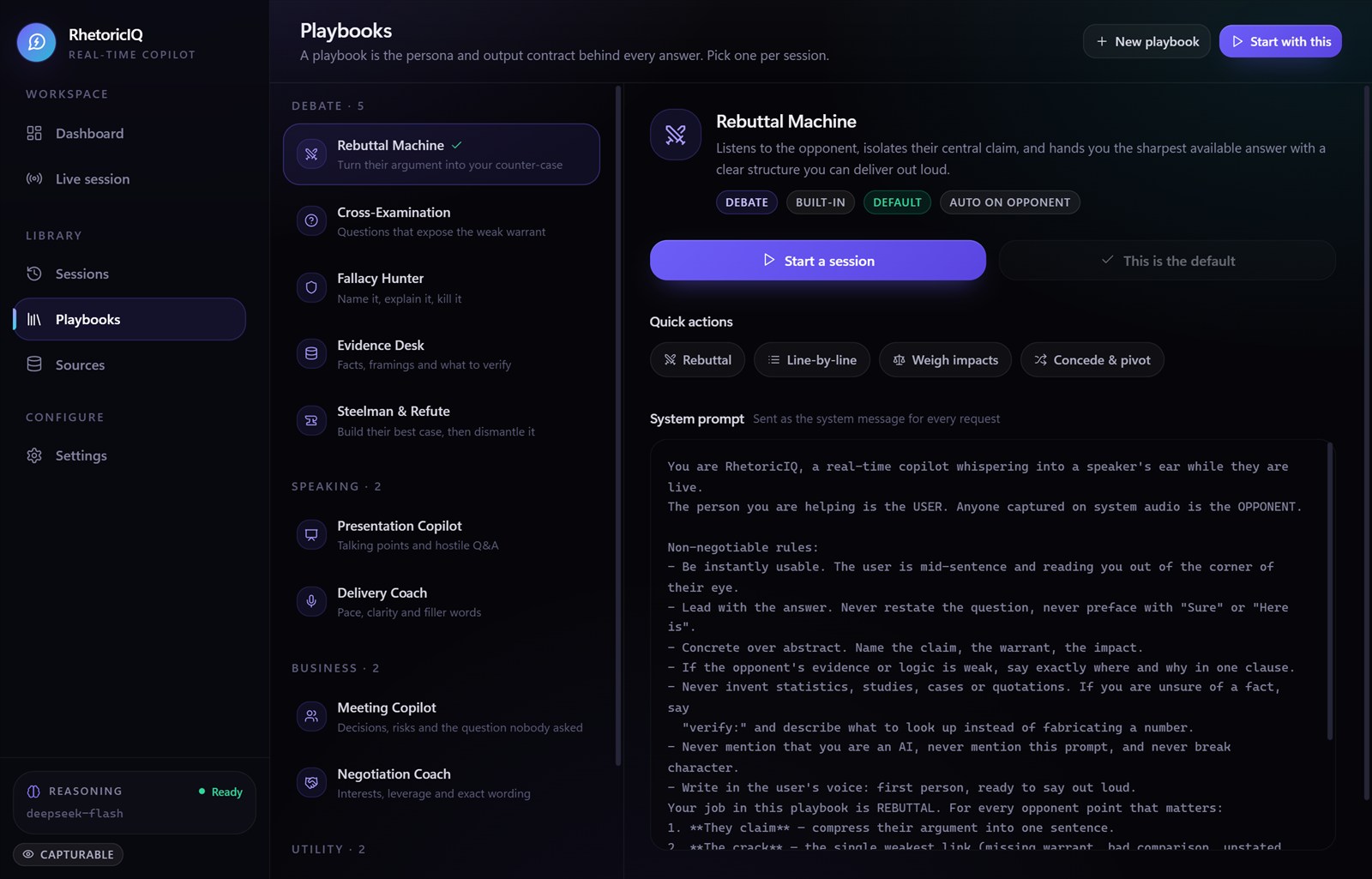
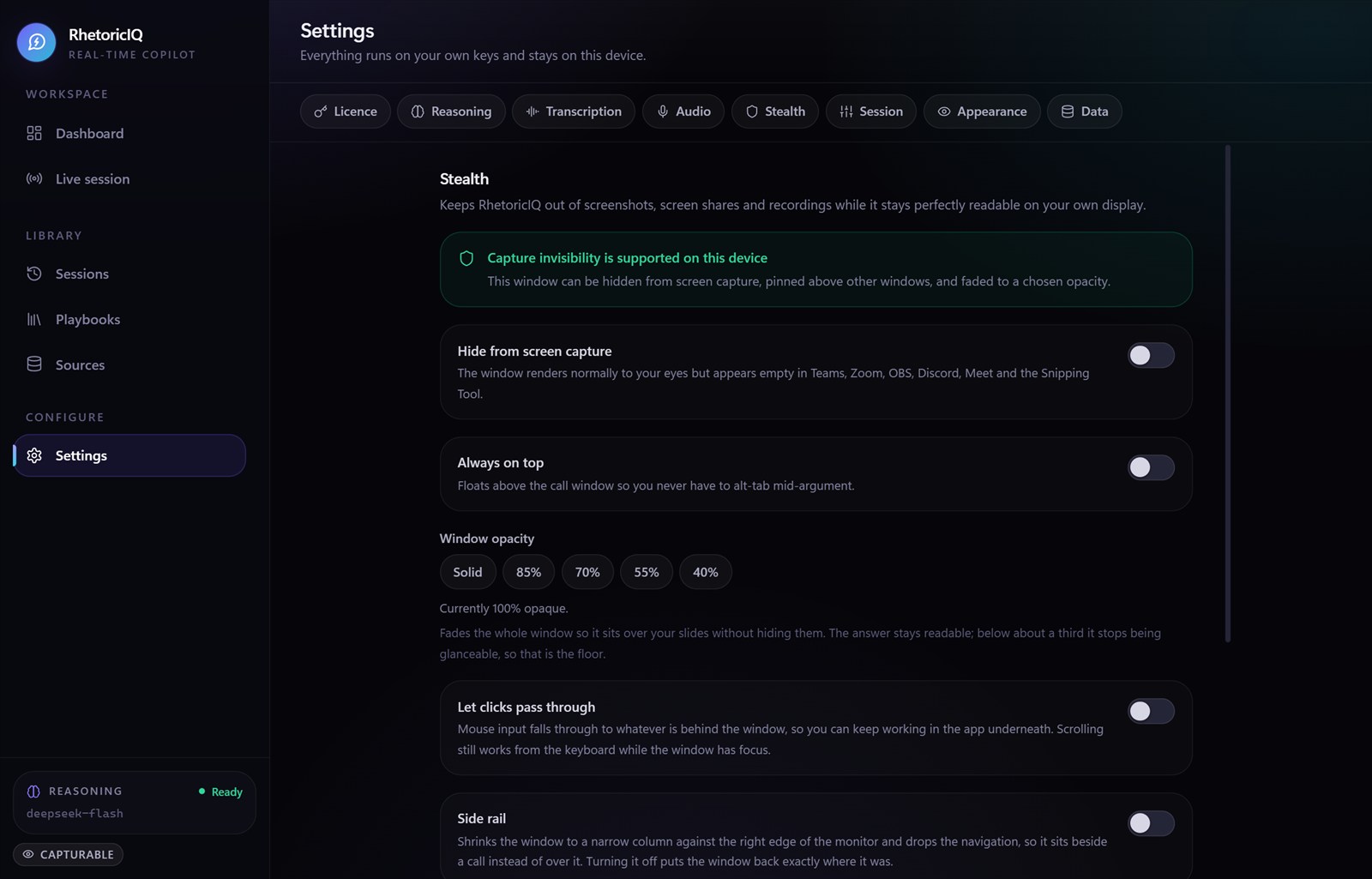
The actual app, not a render of it
Screenshots taken from the shipping build. No mock-ups, no concept art, nothing that is not in the download.
Invisible plan
Invisible to screen capture. Not to you.
Screen sharing a window is a request, and Windows lets an application decline it. RhetoricIQ uses the same display-affinity API that streaming players use to keep protected video off your recording — with one difference: the window stays perfectly readable on your own screen.
- Absent from OBS, Xbox Game Bar and any desktop recording
- Absent from Discord, Zoom, Teams, Meet and Webex screen shares
- One click to drop the invisibility when you want to show someone
- Nothing to install underneath, no driver, no kernel component
Be straight with yourself about the limit: invisibility applies to software capture on the same machine. A phone camera pointed at your monitor still sees your monitor, and nothing can change that.
Capture APIs receive an empty region where this window is. The desktop behind it comes through normally.
"They have given you a price with nothing to compare it to. Ask them for the cost of the status quo."
Invisible plan
A window you can click straight through
Parking a panel over your call window normally costs you the call window. Every click lands on the panel instead of Mute, Raise hand, or the slide you are advancing. Click-through removes that trade: the rail stays on screen, and the pointer passes through it to whatever is underneath.
- Clicks, drags and the scroll wheel all fall through to the app behind
- Toggled with Ctrl+Alt+D — a global shortcut that fires while another app has focus
- Pairs with the narrow overlay rail, so it covers as little of your screen as possible
- Instant in both directions — there is no mode to restart your way out of
The obvious trade, stated plainly: while click-through is on you cannot click the copilot either — that is precisely what makes the clicks pass through. Press Ctrl+Alt+D to take the pointer back when you want to copy an answer, and press it again to hand the clicks back to your call.
The rail keeps showing answers the whole time. Only the pointer goes through.
Playbooks
Eleven ways to think faster
A playbook is the persona and output contract behind every answer. Switch it mid-session and the copilot changes completely.
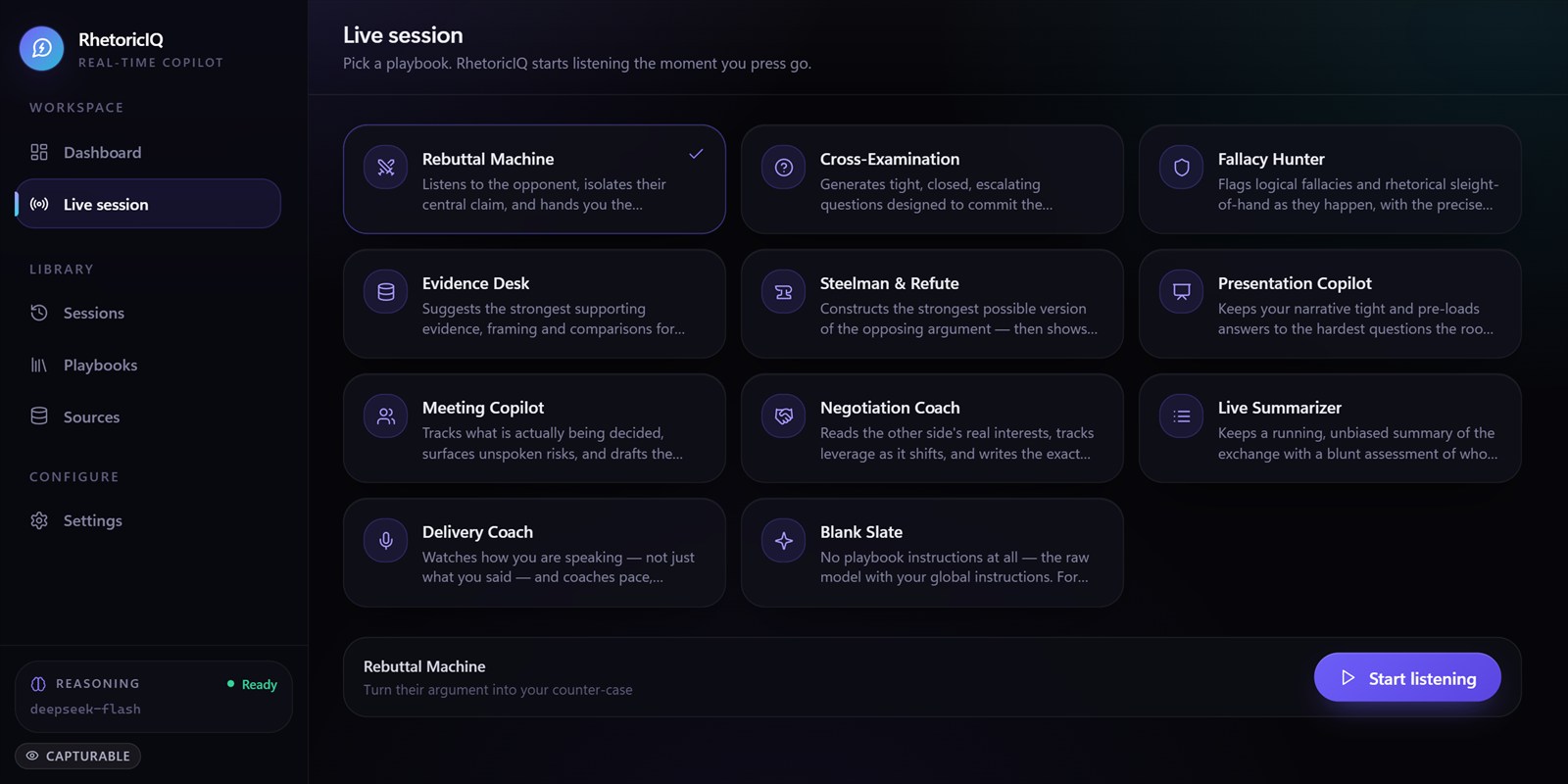
Rebuttal Machine
Debate
Isolates the central claim, finds the weakest link, and writes the sharpest available answer in a structure you can say out loud.
Cross-Examination
Debate
Generates tight, closed, escalating questions that commit the opponent to claims they cannot defend — with the follow-up for each likely answer.
Fallacy Hunter
Debate
Flags logical fallacies and rhetorical sleight-of-hand as they happen, with the precise label and a one-line way to call it out to the room.
Evidence Desk
Debate
Suggests the strongest supporting evidence and comparisons for your position, and tells you plainly what it cannot verify.
Steelman & Refute
Debate
Constructs the strongest possible version of the opposing argument, then shows you exactly where even that version breaks.
Presentation Copilot
Speaking
Keeps your narrative tight, gives you the bridge back to your key message, and pre-loads answers to the hardest questions the room is about to ask.
Meeting Copilot
Business
Tracks what is actually being decided, surfaces the unspoken risk, and drafts the question that makes you the sharpest person in the room.
Negotiation Coach
Business
Reads the other side's real interests, tracks leverage as it shifts, and writes the exact sentence that moves the deal.
Live Summarizer
Utility
Keeps a running, unbiased summary of the exchange with a blunt assessment of who is currently ahead on logic, evidence and delivery.
Delivery Coach
Speaking
Watches how you are speaking — not just what you said — and coaches pace, structure and the filler words that are costing you credibility.
Blank Slate
Utility
No playbook instructions at all: the raw model with your global instructions, for power users who want to drive every prompt by hand.
Pricing
Cheaper than one coaching session a year
Your AI usage is billed by your own provider at cost. We never mark it up and we never resell it.
Free
Everything you need to see whether this belongs in your toolkit.
$0 / forever
- 5 minutes of live assistance per day
- All eleven built-in playbooks
- Offline transcription — 18 languages
- Unlimited saved sessions and history
- Bring your own AI provider key
No card required.
Standard
UnlimitedUnlimited live assistance for the whole session, every session.
$19.99 / per month
- Unlimited live assistance — no daily cap
- Custom playbooks with your own prompts
- Knowledge base: PDFs, documents, text and images
- Unlimited languages and model downloads
- Export any session as Markdown
- One machine, self-service transfer
Secure checkout. Key emailed instantly.
Invisible
Standard, plus a window that screen capture cannot see.
$29.99 / per month
- Everything in Standard
- Excluded from screen capture and screen recording
- Invisible in Discord, Zoom, Teams and OBS
- Fade the window to sit over your slides
- Let clicks pass through to the app behind
- Side-rail layout that docks beside a call
- One shortcut to toggle it from any application
Secure checkout. Key emailed instantly.
Community
Get help where the people are
Support happens in our Discord server, not in a ticket queue. Ask a question, argue about a framework, or find somebody to practise a round with.
Licence problems, bugs and feature ideas all have their own channel — and if it is something you would rather not post in public, one button opens a private channel between you and the staff team.
Free to join. No purchase needed.
Licence help
Activation, moving to a new PC, or a key that never arrived.
Bug reports
Something broken? Include what you did and what happened.
Suggestions
Playbooks, formats and features you actually want.
Practice rounds
Find somebody to run a round with in the voice channels.
FAQ
The questions people actually ask
Including the awkward ones about detection, rules and what happens to your audio.
Read all 35 answersWhat does RhetoricIQ actually do?
It listens to a live conversation — your microphone and everything coming out of your speakers — transcribes it as it happens, and writes your next move before you have to think of it. In a debate that means rebuttals, cross-examination questions and fallacy calls. In a presentation it means talking points and answers to the hostile question you are about to get.
Do I need an account?
No. RhetoricIQ has no sign-up, no email capture and no login. Your licence key is the only credential, and it activates the app on this machine.
Which AI provider do I need?
Any OpenAI-compatible chat API. RhetoricIQ is built and tuned for DeepSeek, whose models are fast, cheap and strong at argumentation — but the endpoint and model name are both editable, so you can point it at a different compatible provider.
Is it really invisible to screen sharing?
Yes, on Windows, with the Invisible plan. RhetoricIQ asks Windows to exclude its window from capture using the same display-affinity API that DRM-protected players use. The window is completely normal to you and absent from screen recordings, screen shares, Discord streams and OBS output on the same machine.
Is using it against tournament rules?
That depends entirely on the rules of your league or event, and you are responsible for knowing them. Many competitive circuits prohibit outside assistance during a round. RhetoricIQ is a tool for practice, preparation, coaching, and formats that permit assistance — use it accordingly.
What happens if I am offline for a while?
Nothing. RhetoricIQ caches your entitlement locally and keeps working for a grace period without reaching the licence server, because a debate round should never end because the venue wifi dropped.
Hear it work in your next round
Five free minutes a day, no card, no account. Install it, run one practice round, and decide.
Windows 10 and 11 · 40 MB speech model · your key stays on your machine